Photo Library
Users can first load images into the photo library for reuse across multiple collages.
NOTE
All images are stored only in your browser's local cache (IndexedDB) and are not uploaded to the server. Your image data remains completely private and is processed only on your device.
Load Images from Local
You can upload image files from your computer to the photo library. Both drag-and-drop and click-to-upload methods are supported.
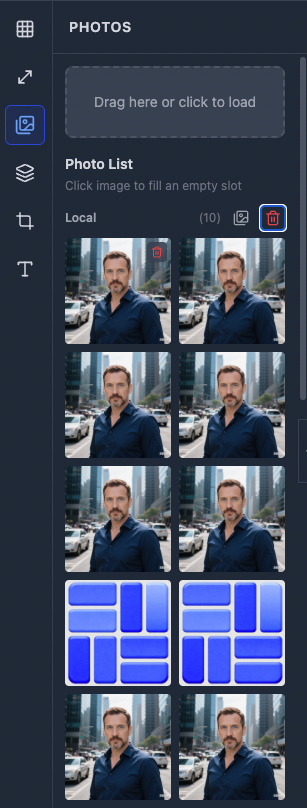
- Drag and drop image files to the upload area for quick batch import, or click the upload area to select files and upload, with multi-select support. Uploaded photos will appear in the local photo list.
- Supports common image formats: JPG, PNG, WebP, GIF, etc.
- Click the image button to the right of 『Photo List』->『Local』, and images from the current photo list will be loaded into empty template slots in sequence.
- Click the delete icon button to the right of 『Photo List』->『Local』 to clear all locally loaded images.
- Click an image in the photo list to load it into an empty slot.
Download Images from Network
You can load images from the network into the photo library by entering image URLs.
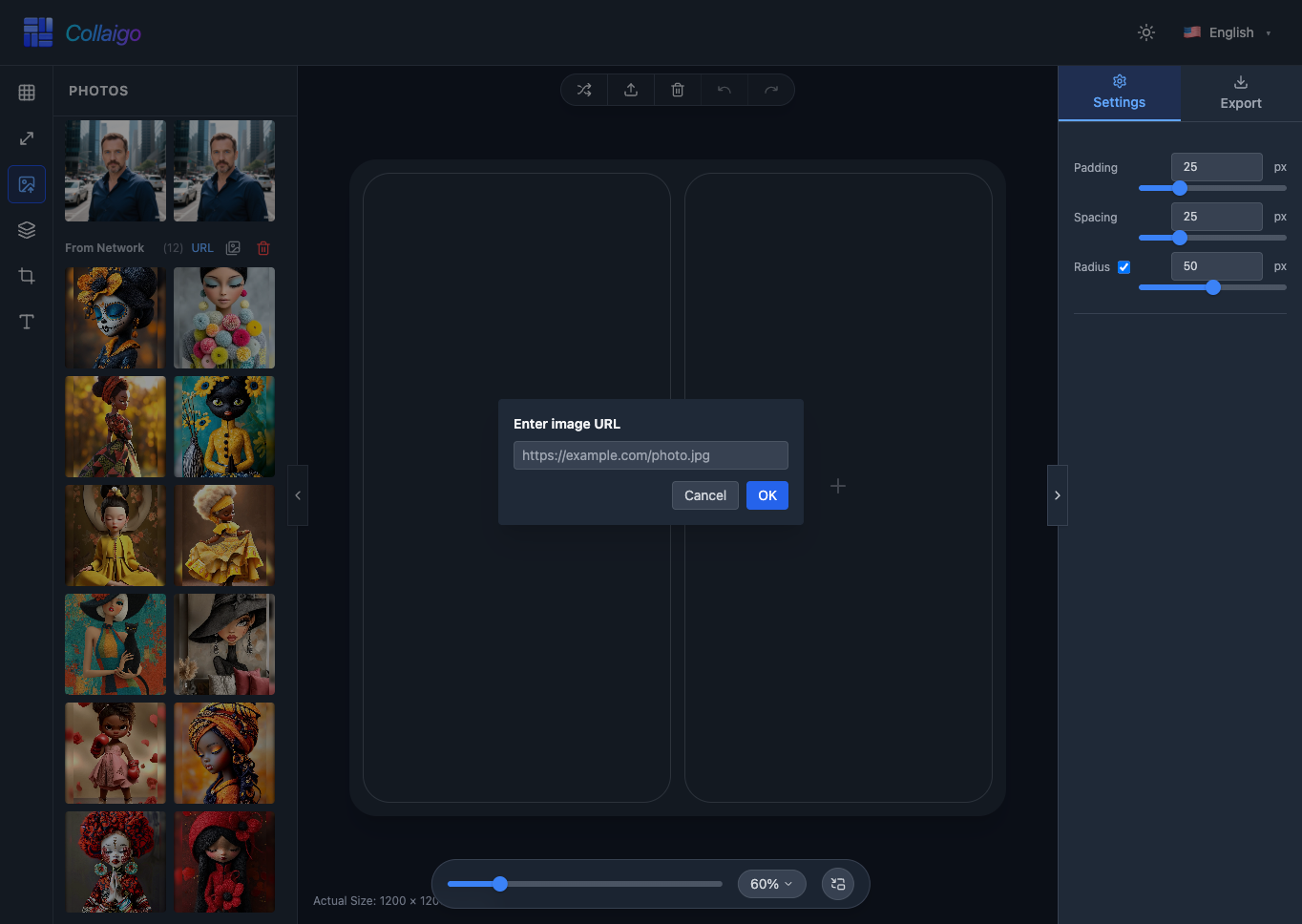
- Enter the image's network address in the URL input box and click the 『OK』 button. The image will be downloaded locally and appear in the network photo list.
- The photo icon button and delete icon button function the same as above.