Frames
Frames add decorative elements to your collages. We offer various types of frames to enhance your designs.
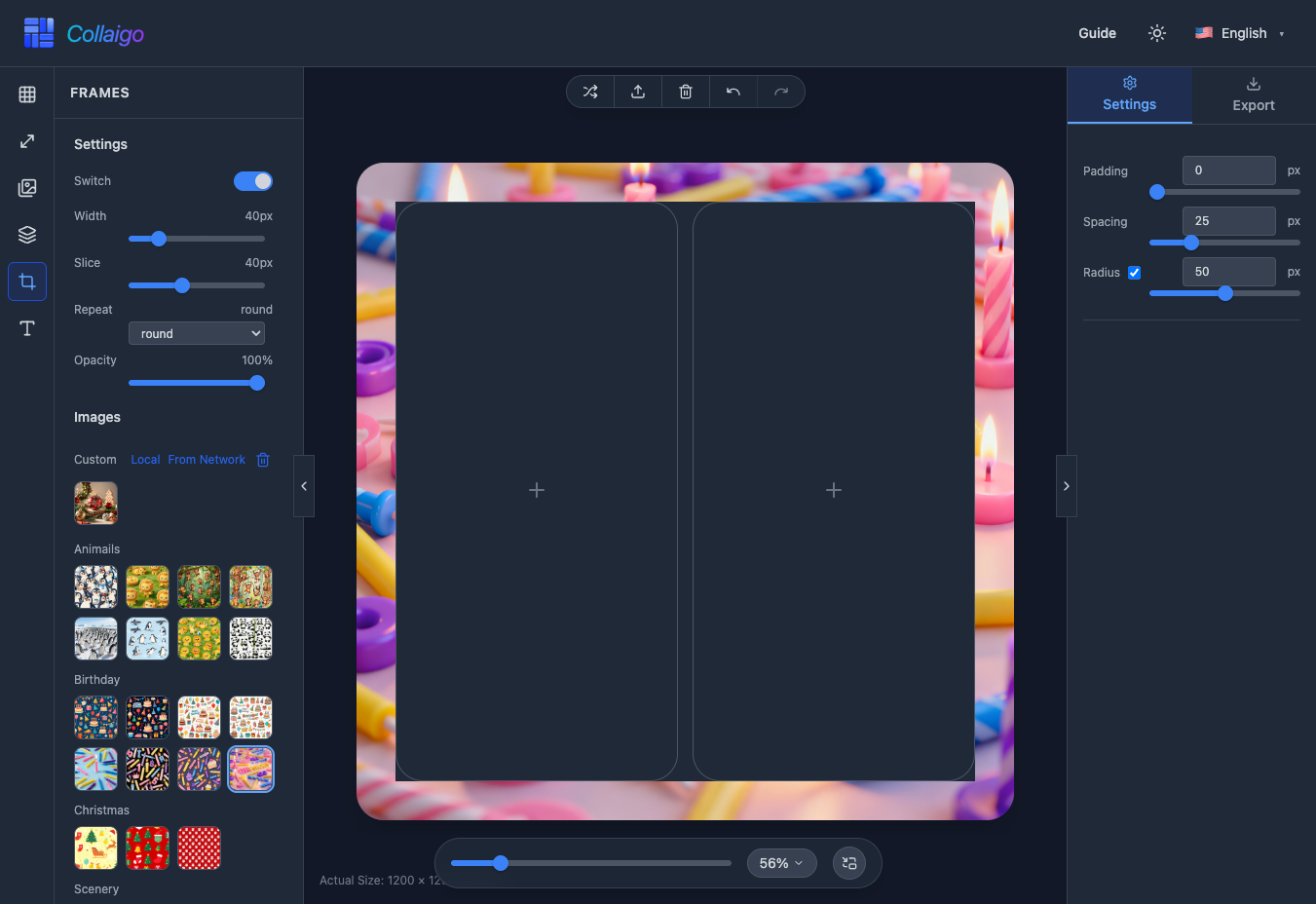
Frame Materials
You can use official frame materials or upload custom frame materials.
Official Frame Materials
We provide frame materials for various themes, including categories: Animals, Birthday, Christmas, Scenery, Stars, and more.
- Click a frame thumbnail to apply it to the currently selected image.
- Frame materials are displayed by category for easy browsing.
Custom Frames
NOTE
All custom frame materials are stored only in your browser's local cache (IndexedDB) and are not uploaded to the server.
In addition to official materials, you can use custom frame materials:
- Load from local: Click the 『Local』 button, select a local PNG file to add to the custom frame list.
- Download from network: Click the 『Network』 button, enter the image URL to download the frame locally.
- Delete custom frames: Click the 『Delete』 icon to enter delete mode, then click the frame thumbnail you want to remove.
Frame Settings
After applying a frame, you can make various adjustments to the frame.
- 『Settings』->『Switch』: Enable or disable the frame effect at any time.
- 『Settings』->『Border Width』: Adjust the frame width (4-200px) to control the frame thickness.
- 『Settings』->『Slice Size』: Adjust the 9-slice size (4-100px), affecting how the frame scales.
- 『Settings』->『Repeat Mode』: Choose stretch (fill), repeat (repeat pattern), or round (even distribution).
- 『Settings』->『Opacity』: Adjust frame opacity (10%-100%) to blend with the image.